

Thu Mar 27 2025
A crucial aspect of leveraging Algolia effectively is data ingestion, which involves importing and synchronizing data from various sources into Algolia’s search indices. This process plays a key role in ensuring accurate and up-to-date search experiences for users. However, like any system, data ingestion in Algolia comes with its own set of advantages and challenges.
How Data Ingestion is possible
Data ingestion in Algolia involves pushing structured data (such as products, articles, or user records) into an Algolia index. This can be done via:
- Algolia API: Using RESTful API calls to add, update, or delete records.
- Algolia Connectors: Pre-built integrations with platforms like commercetools, Shopify, Magento, and WordPress.
- Manual Uploads: Uploading JSON or CSV data through the Algolia dashboard.
- Webhook & Event-Driven Systems: Automatic updates through external triggers.
Algolia Connectors
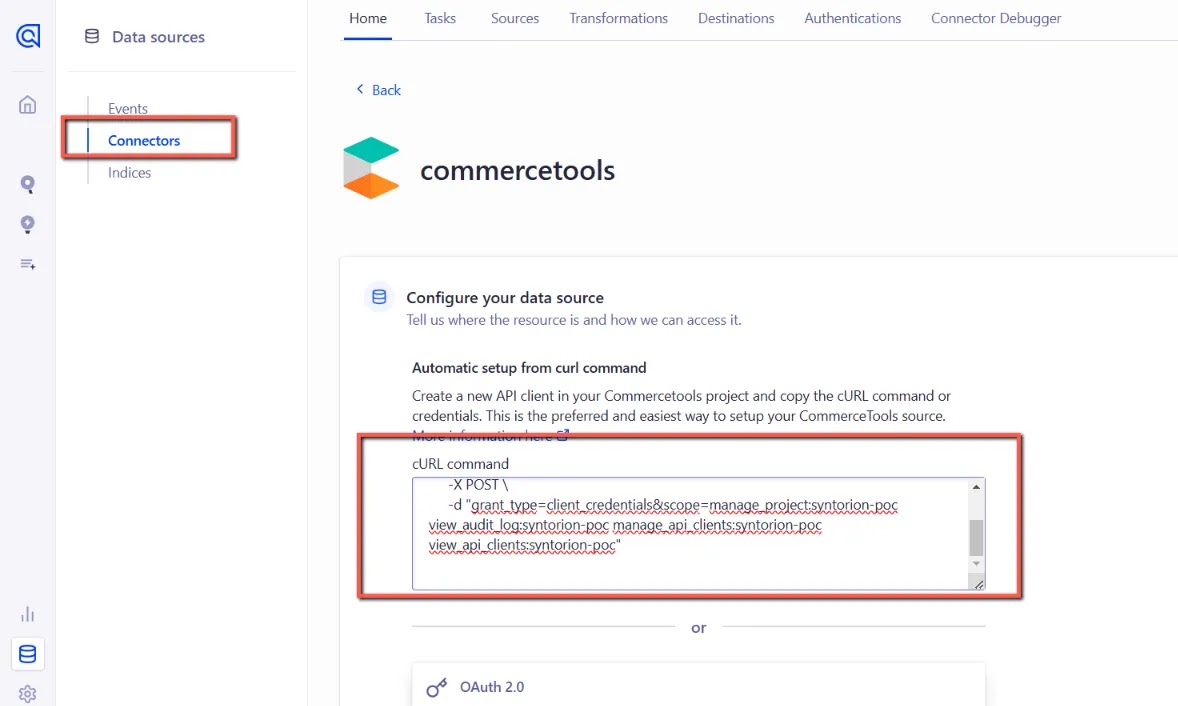
Algolia data ingestion process for Commercetools using Connectors:
1. Configure Data Source
This step involves setting up how data from Commercetools will be ingested into Algolia.
You need to either:
- Provide a URL command that fetches data from Commercetools APIs.
- Enter API credentials (e.g., Client ID, Client Secret, Project Key) to allow Algolia to fetch data securely.
2. Create Source
Once the data source is configured, a source is created in Algolia.
This is essentially a connection point where data is pulled from Commercetools.
Data will be periodically fetched from this source, depending on your indexing strategy.
3. Create a Transformation (Optional)
If needed, you can transform the data before ingestion.
Common transformations include:
- Mapping Commercetools fields to Algolia’s searchable attributes.
- Filtering or modifying data (e.g., converting prices, changing formats).
- Restructuring data to fit Algolia’s schema.
This ensures that the data is optimized for Algolia’s search engine.
4. Configure Destination
Select the Algolia index where the processed data will be stored.
You can define different indices for different types of data (e.g., products, categories, brands).
Configuration options include:
- Setting up indexing rules.
- Choosing replica indices for sorting.
- Enabling faceting for better search performance.
5. Full Reindexing
A full reindex ensures that all data is synced from Commercetools to Algolia.
This is typically done:
- Initially, when setting up the integration.
- Periodically, to refresh outdated records.
It replaces all records in the index to ensure consistency.
6. Create Task
The final step is to create an indexing task to keep data up to date.
Tasks can be:
- Scheduled (e.g., daily, hourly).
- Triggered by events (e.g., when products are updated in Commercetools).
This automates the data ingestion and ensures real-time updates.